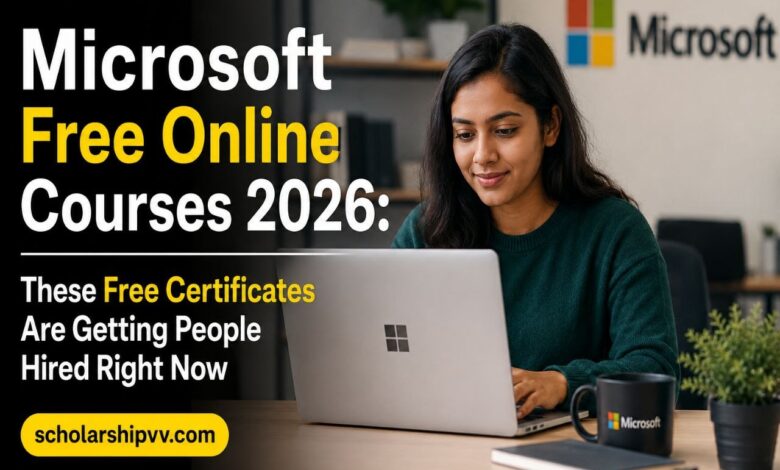
Microsoft Free Online Courses 2026: These Free Certificates Are Getting People Hired Right Now

Last Updated: 08 Jun 2026 at 12:46 PM
Updated By: Uwandu Chinwe
- What is Microsoft Learn?
- Why Microsoft Free Online Courses Matter in 2026
- Microsoft Free Online Courses 2026: Key Details at a Glance
- Categories of Microsoft Free Online Courses in 2026
- 1. Azure Cloud Computing Courses
- 2. Artificial Intelligence and Machine Learning Courses
- 3. Data and Analytics Courses
- 4. Cybersecurity Courses
- 5. Microsoft 365 and Productivity Courses
- 6. Developer and DevOps Courses
- Top Microsoft Free Courses 2026: Full Course List with Duration
- About Microsoft Certifications: What You Can Earn
- Microsoft Free Courses on External Platforms
- Microsoft Courses on Coursera
- Microsoft Courses on edX
- Microsoft Courses on LinkedIn Learning
- Who Should Take Microsoft Free Online Courses?
- Suggested Microsoft Learning Path for 2026 (Beginner to Advanced)
- Step 1: Start with Generative AI and Copilot (1-2 weeks)
- Step 2: Build your Cloud Foundation with Azure Fundamentals (2-4 weeks)
- Step 3: Add Data and Analytics Skills (4-8 weeks)
- Step 4: Choose a Specialization (2-4 months)
- How to Get Started: Step-by-Step Enrollment Guide
- Tips to Make the Most of Microsoft Free Online Courses
- Frequently Asked Questions (FAQs) About Microsoft Free Online Courses 2026
- Are Microsoft online courses really free in 2026?
- Who can enroll in Microsoft free online courses?
- Do Microsoft free courses give certificates?
- What is Microsoft Learn?
- How long does it take to complete a Microsoft Learn course?
- Which Microsoft free courses are best for beginners?
- Can Microsoft free courses help me get a job?
- Do I need to pay for Microsoft certification exams?
- What is the best Microsoft free course for data analysis?
- Are Microsoft Learn courses self-paced?
- Final Thoughts: Start Learning With Microsoft Today
If you have been putting off learning a new tech skill because you assumed quality training would cost money, this article is going to change your mind. Microsoft, one of the world’s most recognized technology companies, has built one of the largest free online learning ecosystems in existence, and in 2026 it is more accessible and more relevant than ever. From cloud computing and artificial intelligence to data analytics, cybersecurity, and everyday productivity tools, Microsoft free online courses are available to anyone with an internet connection, completely at no cost.
This is not a limited pilot program or a scholarship you have to apply for. There is no application deadline, no eligibility test, and no waiting list. You simply go to the platform, create a free account, and start learning. Whether you are a student in Lagos trying to break into tech, a working professional in Manila looking to upskill, a teacher in Brazil wanting to understand AI, or a job seeker in Cairo preparing for a cloud career, Microsoft Learning has something built specifically for where you are and where you want to go.
In this guide, we are going to walk through everything you need to know about Microsoft free online courses in 2026: what the Microsoft Learn platform is, which courses are available, what certificates and credentials you can earn, who these courses are designed for, and exactly how to get started today.
What is Microsoft Learn?
Microsoft Learn is Microsoft’s official free online training platform. It is the central hub where Microsoft offers interactive, self-paced courses, learning paths, modules, and role-based training programs to help anyone develop technical and professional skills using Microsoft technologies.
The platform was designed from the ground up to make learning practical and flexible. Instead of sitting through hours of passive video lectures, Microsoft Learn uses a combination of written tutorials, short videos, hands-on browser-based coding environments, knowledge checks, and sandboxed labs where you can practice skills in a real Azure or Microsoft 365 environment without needing to set up or pay for anything yourself.
According to Microsoft, there are thousands of role-based training modules and learning paths available on the platform covering areas including Azure cloud computing, artificial intelligence, cybersecurity, data engineering, software development, Power Platform, Microsoft 365, and much more. New content is added regularly to keep pace with the rapid changes in the technology industry.
The platform is accessible from any web browser on any device, including phones, tablets, and computers. Your progress is saved automatically when you create a free account, so you can pick up exactly where you left off, even if you switch devices between sessions.
Why Microsoft Free Online Courses Matter in 2026
The technology job market in 2026 looks very different from what it was just a few years ago. Demand for cloud skills, AI literacy, data analysis capabilities, and cybersecurity expertise has grown sharply across almost every industry. At the same time, traditional pathways to these skills, such as university degrees or expensive bootcamps, remain out of reach for many people around the world.
This is where Microsoft’s free learning initiative fills a critical gap. When you complete a Microsoft Learn course and earn the associated digital badge or credential, employers recognize it because it comes from Microsoft itself, one of the most trusted names in enterprise technology. A Microsoft-issued digital badge or certification on your resume or LinkedIn profile carries real weight in the hiring process, and the preparation for it cost you nothing beyond your time and effort.
The global cloud infrastructure market has been growing rapidly. Enterprise cloud spending has seen double-digit percentage growth year over year, and Microsoft Azure holds a significant share of that market alongside AWS and Google Cloud. This means there is genuinely strong demand for people who hold Microsoft Azure credentials, and that demand is expected to continue growing throughout the decade. Certified professionals with Azure skills consistently report earning premiums in the range of 8 to 15 percent above their uncertified counterparts in comparable roles.
Microsoft Free Online Courses 2026: Key Details at a Glance
| Detail | Information |
|---|---|
| Program Name | Microsoft Free Online Courses 2026 / Microsoft Learn |
| Offered By | Microsoft Corporation |
| Platform | Microsoft Learn (learn.microsoft.com) |
| Cost | Free (course content is 100% free) |
| Open To | All Nationalities Worldwide |
| Prerequisites | None for most courses (beginner-friendly) |
| Study Mode | Self-paced, Online |
| Application Deadline | No deadline. Enroll anytime |
| Certificate | Digital badges and completion records (free). Official certifications via paid exams |
| Course Duration | 15 minutes (modules) to several months (full learning paths) |
| Key Subject Areas | Azure, AI, Cybersecurity, Power BI, Microsoft 365, Data Science, GitHub, Dynamics 365 |
| Device Compatibility | Desktop, laptop, tablet, mobile (any browser) |
| Official Platform | Microsoft Learn Official Training Portal |
Categories of Microsoft Free Online Courses in 2026
Microsoft Learn organizes its free content into broad subject categories, each of which contains multiple learning paths and individual modules. Here is a detailed look at the main categories available to learners in 2026:
1. Azure Cloud Computing Courses
Azure is Microsoft’s cloud computing platform, and it is one of the top three cloud providers in the world by market share. Learning Azure opens doors to roles such as cloud administrator, solutions architect, cloud developer, and DevOps engineer. Microsoft Learn provides free learning paths for every level:
- Azure Fundamentals (AZ-900 preparation): This is the ideal starting point for anyone new to cloud computing. It covers the core concepts of cloud services, Azure architecture, pricing, and governance. No prior technical experience is required, and it typically takes around 6 to 8 hours to complete the full learning path.
- Azure Administrator (AZ-104 preparation): This path teaches you how to manage Azure resources, virtual networks, storage, and compute services. It is aimed at IT professionals who manage Azure environments.
- Azure Solutions Architect (AZ-305 preparation): This advanced path teaches you how to design and implement solutions running on Microsoft Azure. It is designed for experienced professionals moving toward architect-level roles.
- Azure Developer Associate (AZ-204 preparation): Designed for developers who build, test, and maintain cloud applications and services on Azure.
- Azure Security Engineer (AZ-500 preparation): A specialized path focused on managing identity and access, implementing security controls, and protecting data in Azure environments.
2. Artificial Intelligence and Machine Learning Courses
AI literacy is one of the most in-demand skills in the global job market right now, and Microsoft has responded by building an extensive library of free AI-focused content on Microsoft Learn. These courses cover everything from foundational AI concepts to advanced generative AI and machine learning engineering:
- AI Fundamentals (AI-900 preparation): This beginner-level path covers the core concepts of artificial intelligence and machine learning, including how AI services are deployed in Azure. No coding background is required.
- Introduction to Generative AI: This course explains how large language models work, how tools like Microsoft Copilot function, and how generative AI is being applied across industries.
- Introduction to GitHub Copilot: A practical course showing developers how to use AI-powered code completion and suggestions in their daily workflow using GitHub Copilot.
- Azure AI Engineer Associate (AI-102 preparation): This learning path prepares you to build AI solutions using Azure AI Services, covering natural language processing, computer vision, speech recognition, and more.
- Machine Learning on Azure: A hands-on learning path covering how to design and implement machine learning models using Azure Machine Learning Studio.
- Microsoft Copilot for Microsoft 365: A practical course showing how to use Microsoft’s AI assistant across Word, Excel, PowerPoint, Outlook, and Teams to boost productivity.
3. Data and Analytics Courses
Data roles are among the fastest-growing in the global tech industry, and Microsoft’s free data courses cover everything from foundational concepts to professional-level certifications:
- Azure Data Fundamentals (DP-900 preparation): An entry-level path covering the basics of data concepts, relational databases, non-relational data, and analytics in Azure.
- Power BI Data Analyst (PL-300 preparation): This is one of the most practical and career-relevant free learning paths on Microsoft Learn. You learn to load, model, and visualize data using Power BI, create interactive dashboards, and help organizations make data-driven decisions.
- Azure Data Engineer Associate (DP-203 preparation): An advanced path for professionals building data pipelines and working with big data solutions on Azure using services like Azure Synapse Analytics and Azure Data Factory.
- Azure Data Scientist Associate (DP-100 preparation): For professionals who design and implement data science solutions on Azure, including model training, deployment, and management.
- SQL Server Fundamentals: A practical introduction to querying and managing data with Microsoft SQL Server.
4. Cybersecurity Courses
Cybersecurity is one of the fastest-growing career areas globally, with significant skills shortages in organizations of all sizes. Microsoft Learn offers free paths for those looking to enter or advance in this field:
- Security Fundamentals (SC-900 preparation): A beginner-friendly path covering the core concepts of security, compliance, and identity in Microsoft environments. Great for non-technical professionals who want to understand cybersecurity basics.
- Azure Security Engineer (AZ-500 preparation): An advanced path covering identity management, security controls, threat protection, and compliance management in Azure environments.
- Microsoft Security Operations Analyst (SC-200 preparation): Focuses on threat intelligence, incident response, and working with Microsoft Sentinel and Microsoft Defender.
- Microsoft Identity and Access Administrator (SC-300 preparation): Covers designing and implementing identity and access management solutions using Azure Active Directory.
5. Microsoft 365 and Productivity Courses
Not every useful Microsoft course is about cloud infrastructure or AI. Microsoft Learn also has a broad collection of free courses focused on the productivity and collaboration tools that billions of people use every day:
- Microsoft 365 Fundamentals (MS-900 preparation): Covers how Microsoft 365 cloud services work, including Teams, SharePoint, OneDrive, and Exchange Online. Great for IT support roles and business users moving to Microsoft 365.
- Microsoft Excel: Free courses covering everything from basic spreadsheet skills to advanced functions, data analysis, and pivot tables. Excel skills remain one of the most universally requested competencies in job postings across virtually every industry.
- Microsoft Word: Structured learning covering document creation, formatting, collaboration features, and professional document design.
- Microsoft PowerPoint: Covers presentation design, animation, storytelling, and advanced slide creation techniques.
- Microsoft Teams: Learning paths for using Teams effectively for collaboration, meetings, and project coordination in modern workplaces.
- Microsoft SharePoint: Covers how to set up, manage, and use SharePoint for team collaboration and document management.
6. Developer and DevOps Courses
For developers, software engineers, and DevOps professionals, Microsoft Learn has an extensive set of free content covering modern development tools and practices:
- GitHub Foundations: A free learning path covering version control, repositories, branches, pull requests, and collaboration using GitHub. Perfect for new developers and students learning programming fundamentals.
- Azure DevOps Engineer Expert (AZ-400 preparation): An advanced path covering continuous integration, continuous delivery, infrastructure as code, and automated testing pipelines.
- Visual Studio Code: Tutorials and guides for using Microsoft’s free code editor, one of the most widely used development tools in the world.
- Python for Beginners: Microsoft Learn offers free Python programming modules, covering basics like variables, loops, functions, and data structures for complete beginners.
- Power Platform Fundamentals (PL-900 preparation): Covers Microsoft Power Apps, Power Automate, Power BI, and Power Virtual Agents for building business applications without heavy coding.
- Dynamics 365 Fundamentals: An introduction to Microsoft’s enterprise resource planning and customer relationship management solutions for business users and administrators.
Top Microsoft Free Courses 2026: Full Course List with Duration
| Course / Learning Path | Category | Level | Duration | Certification Exam |
|---|---|---|---|---|
| Azure Fundamentals | Cloud Computing | Beginner | 6-8 hours | AZ-900 |
| AI Fundamentals | Artificial Intelligence | Beginner | 5-6 hours | AI-900 |
| Security Fundamentals | Cybersecurity | Beginner | 4-5 hours | SC-900 |
| Power BI Data Analyst | Data and Analytics | Intermediate | 8-12 hours | PL-300 |
| Azure Data Fundamentals | Data and Analytics | Beginner | 4-6 hours | DP-900 |
| Azure Administrator | Cloud Computing | Intermediate | 10-14 hours | AZ-104 |
| Microsoft 365 Fundamentals | Productivity | Beginner | 4-6 hours | MS-900 |
| Introduction to Generative AI | Artificial Intelligence | Beginner | 1-2 hours | N/A (Badge) |
| GitHub Foundations | Development | Beginner | 4-6 hours | GitHub Foundations Exam |
| Power Platform Fundamentals | Business Applications | Beginner | 5-7 hours | PL-900 |
| Azure AI Engineer Associate | Artificial Intelligence | Advanced | 12-16 hours | AI-102 |
| Azure Security Engineer | Cybersecurity | Advanced | 12-15 hours | AZ-500 |
| Python for Beginners | Programming | Beginner | 3-5 hours | N/A (Badge) |
| Microsoft Copilot for Microsoft 365 | AI + Productivity | Beginner to Intermediate | 4-6 hours | N/A (Badge) |
| Dynamics 365 Fundamentals | Business Applications | Beginner | 4-6 hours | MB-910 / MB-920 |
About Microsoft Certifications: What You Can Earn
It is important to understand the difference between two things that often get blurred together in discussions about Microsoft free courses: the free learning content and the paid certification exams.
The learning content on Microsoft Learn is free. All of it. You can access every module, every learning path, every sandbox lab, and every practice assessment at no cost. Completing a learning path earns you a digital badge, which you can share directly on your LinkedIn profile or any other professional platform.
The certification exams are paid. If you want an official Microsoft certification (such as Azure Fundamentals AZ-900 or Power BI Data Analyst PL-300), you need to pass the associated exam, which is administered by Pearson VUE or Certiport and has an associated fee. Fundamentals-level exams cost approximately $99 USD. Associate and Expert-level exams cost approximately $165 USD.
However, there is an important nuance here: Microsoft frequently offers free exam vouchers through events like Microsoft Virtual Training Days, Microsoft Build, and Microsoft Ignite. These are free online events where attendees can qualify for a free exam voucher after completing a training session. If you keep an eye on the Microsoft events calendar and attend these virtual events, you can often sit the certification exam at no cost at all. Microsoft also provides free renewal assessments for certifications that have already been earned, so keeping your certifications current does not require re-paying exam fees.
Microsoft certifications are structured in three main levels:
- Fundamentals: Entry-level certifications covering core concepts. Examples include AZ-900 (Azure), AI-900 (AI), SC-900 (Security), DP-900 (Data), MS-900 (Microsoft 365), and PL-900 (Power Platform). These are open to complete beginners.
- Associate: Intermediate role-based certifications. Examples include AZ-104 (Azure Administrator), AZ-204 (Azure Developer), PL-300 (Power BI Data Analyst), AZ-500 (Azure Security Engineer), and AI-102 (Azure AI Engineer). These typically require some practical experience or completion of foundational content.
- Expert: Advanced certifications for senior professionals. Examples include AZ-305 (Azure Solutions Architect) and AZ-400 (Azure DevOps Engineer Expert).
Microsoft Free Courses on External Platforms
In addition to Microsoft Learn itself, Microsoft has partnered with several well-known online learning platforms to offer free or low-cost structured course programs. Here is a quick overview:
Microsoft Courses on Coursera
Microsoft offers a range of professional certificate programs on Coursera. These are structured multi-course programs designed to prepare you for specific job roles. Many of these can be audited for free on Coursera, meaning you can access all the course videos and readings at no cost. Notable examples include the Microsoft Power BI Data Analyst Professional Certificate (3 months), the Microsoft Azure Data Scientist Associate Professional Certificate, and the Microsoft Cybersecurity Analyst Professional Certificate. If you need the shareable certificate from Coursera, there is a subscription fee, but the learning content itself is accessible for free through the audit option.
Microsoft Courses on edX
edX also hosts Microsoft professional programs and courses. The platform offers a free audit option for most individual courses, with a paid certificate upgrade available for learners who want formal credentials from the edX platform. Microsoft Azure, data science, and AI-focused programs are particularly well-represented on edX.
Microsoft Courses on LinkedIn Learning
As a Microsoft company, LinkedIn Learning has deep integration with Microsoft training content. LinkedIn Learning offers a one-month free trial that gives you full access to its Microsoft course library, including courses on Excel, Word, PowerPoint, Teams, Azure, and Power BI. Microsoft has also used LinkedIn Learning as the delivery platform for its generative AI certification initiative, offering the first professional certificate on generative AI in partnership with LinkedIn.
Who Should Take Microsoft Free Online Courses?
One of the biggest strengths of the Microsoft Learn ecosystem is how genuinely broad its audience is. These courses are not just for computer science graduates or experienced IT professionals. Here is a breakdown of who benefits most from different categories of Microsoft free content:
- Students and recent graduates: Microsoft Learn is an excellent way to build a portfolio of technical credentials before entering the job market. Completing Azure Fundamentals or Power BI courses before your first job application gives you something concrete to point to in interviews.
- Career changers: If you are coming from a non-technical background and want to move into cloud, data, or cybersecurity roles, Microsoft’s fundamentals-level courses are genuinely beginner-friendly and provide a structured pathway into these fields.
- Working professionals upskilling: If you are already in a technical or business role and want to add cloud, AI, or data skills to your existing expertise, Microsoft Learn’s self-paced format is ideal because you can learn around your existing job schedule.
- Teachers and educators: Microsoft has specific resources for educators who want to integrate Microsoft tools and digital literacy into their teaching. The Microsoft Educator Center offers free training and credentials specifically for teachers.
- Business users and administrators: Microsoft 365, Teams, SharePoint, and Power Platform courses are directly applicable to everyday workplace tasks, and completing them makes you more effective in your current role regardless of whether you are pursuing a technical career.
- Entrepreneurs and small business owners: Understanding how to use Microsoft productivity tools, Power BI for business analytics, and Power Apps for building simple business applications can provide real competitive advantages for small businesses.
Suggested Microsoft Learning Path for 2026 (Beginner to Advanced)
If you are new to Microsoft Learn and not sure where to start, here is a practical recommended progression that takes you from zero knowledge to professional-level credentials in a structured way:
Step 1: Start with Generative AI and Copilot (1-2 weeks)
Begin with the Introduction to Generative AI module and the Microsoft Copilot for Microsoft 365 learning path. These are short, accessible, and immediately relevant to the current job market. They will also help you understand how AI tools integrate with everything else Microsoft is doing.
Step 2: Build your Cloud Foundation with Azure Fundamentals (2-4 weeks)
Once you understand the AI landscape, work through the Azure Fundamentals learning path. This gives you a solid understanding of cloud computing concepts, Azure services, pricing models, and governance. Consider sitting the AZ-900 exam (or attending a Microsoft Virtual Training Day to earn a free exam voucher) once you feel ready.
Step 3: Add Data and Analytics Skills (4-8 weeks)
Next, move into the Power BI Data Analyst learning path and the Azure Data Fundamentals content. Data analysis skills are highly transferable across industries, and Power BI is one of the most widely used business intelligence tools in the world. The PL-300 certification exam is a strong credential for business intelligence roles.
Step 4: Choose a Specialization (2-4 months)
At this point, you have a solid foundation. Choose a specialization based on your career interests. Options include Azure Administrator (AZ-104) for cloud ops roles, Azure AI Engineer (AI-102) for AI development roles, Azure Security Engineer (AZ-500) for cybersecurity roles, or Azure Developer (AZ-204) for software development roles. Each of these has a full free learning path on Microsoft Learn.
How to Get Started: Step-by-Step Enrollment Guide
Getting started with Microsoft free courses is genuinely straightforward. Here is exactly what you do:
- Go to the Microsoft Learn platform. Visit the Microsoft Learn official training portal using any web browser on any device.
- Create a free Microsoft account. Click “Sign in” at the top right. If you do not already have a Microsoft account (Outlook, Hotmail, or Xbox accounts all work), create one for free. This account saves your learning progress across devices and tracks your earned badges.
- Browse courses by role, subject, or certification. Use the “Browse training” menu or the search bar to find courses relevant to your goals. You can filter by level (beginner, intermediate, advanced), role (developer, administrator, data analyst, etc.), or product (Azure, Power BI, Microsoft 365, etc.).
- Start a module or learning path. Click on any module or learning path and select “Start.” You can dive straight into the content. No registration form. No waiting. No payment.
- Complete modules and earn badges. As you complete modules, you earn experience points (XP) on the Microsoft Learn platform and digital badges for completing full learning paths. Your profile page on Microsoft Learn tracks all of your achievements.
- Share your credentials. Once you earn a digital badge or complete a learning path, share it on LinkedIn directly from the Microsoft Learn platform. Your profile page on Microsoft Learn also has a shareable URL you can include on your resume or CV.
- Schedule your certification exam when ready. If you want the official Microsoft certification, register for the exam through the Pearson VUE website (linked from each certification page on Microsoft Learn). Use free practice assessments on Microsoft Learn to gauge your readiness before booking.
Start learning now: Visit the Microsoft Learn training portal and explore thousands of free courses across Azure, AI, cybersecurity, data, and more. There is no better time to start than today.
Tips to Make the Most of Microsoft Free Online Courses
Since the content is free and self-paced, the main challenge most people face is staying consistent. Here are some practical tips to get real results from your Microsoft Learn experience:
- Set a small daily learning goal. Even 20 to 30 minutes a day adds up remarkably fast on Microsoft Learn. Modules are broken into short, digestible units, making it easy to make progress in short sessions.
- Complete the knowledge checks seriously. Each module ends with a knowledge check. Do not skip these or guess randomly. If you get questions wrong, go back and review the content before moving on. The knowledge checks are calibrated to reinforce the most important concepts.
- Use the sandbox labs. Many Azure and Power Platform modules include free browser-based sandboxes where you can practice tasks in a real Azure environment without needing a subscription. Use these as much as possible. Hands-on practice is what converts knowledge into durable skill.
- Join the Microsoft Tech Community. Microsoft Learn has a community forum where learners from around the world share notes, ask questions, and help each other. Engaging with this community makes the learning experience feel less solitary and often surfaces useful tips and shortcuts.
- Watch for free exam voucher events. Keep an eye on the Microsoft events calendar for Virtual Training Days at Microsoft Learn. Attending these online events often qualifies you for a free certification exam voucher, which can save you $99 to $165 on exam fees.
- List your credentials on LinkedIn immediately. Microsoft Learn connects directly to LinkedIn for badge sharing. Every time you earn a badge, add it to your LinkedIn profile. Recruiters search for these credentials, and having them visible on your profile increases the chances of being contacted for relevant roles.
Frequently Asked Questions (FAQs) About Microsoft Free Online Courses 2026
Are Microsoft online courses really free in 2026?
Yes. Microsoft Learn offers thousands of free self-paced modules and learning paths across topics like Azure, AI, Power BI, Microsoft 365, and cybersecurity. The courses themselves are completely free to access. Certification exams are paid separately, but all learning content used to prepare for them is free.
Who can enroll in Microsoft free online courses?
Microsoft free online courses are open to everyone worldwide. There are no nationality restrictions, age limits, or strict academic prerequisites for most courses. Anyone can sign up and start learning immediately through Microsoft Learn.
Do Microsoft free courses give certificates?
Yes. Microsoft Learn awards digital badges and completion records when you finish modules and learning paths. These are shareable on LinkedIn. Official Microsoft certifications require passing a paid exam, but all preparation content is free on Microsoft Learn.
What is Microsoft Learn?
Microsoft Learn is Microsoft’s official free online learning platform. It offers interactive, self-paced modules, learning paths, and role-based courses covering Azure, Microsoft 365, Power Platform, AI, cybersecurity, data analytics, and more. It is available at no cost and accessible from any device.
How long does it take to complete a Microsoft Learn course?
Individual modules can take 15 to 45 minutes. Full learning paths typically take 4 to 10 hours. Professional certificate programs on Coursera (offered by Microsoft) can take 3 to 6 months at a few hours per week.
Which Microsoft free courses are best for beginners?
The best starting points for beginners include Azure Fundamentals (AZ-900 prep), AI Fundamentals (AI-900 prep), Microsoft 365 Fundamentals, Introduction to Generative AI, and the Power BI Data Analyst learning path. None of these require prior technical experience.
Can Microsoft free courses help me get a job?
Yes. Microsoft certifications and learning credentials are recognized by employers globally. Roles such as cloud administrator, data analyst, AI engineer, cybersecurity specialist, and Power Platform developer all value Microsoft credentials. Completing Microsoft Learn courses and earning certifications strengthens your resume and improves your job prospects.
Do I need to pay for Microsoft certification exams?
Yes. Fundamentals-level exams cost approximately $99 USD. Associate and Expert-level exams cost approximately $165 USD. However, Microsoft frequently offers free exam vouchers through Virtual Training Days and events like Microsoft Build and Microsoft Ignite.
What is the best Microsoft free course for data analysis?
The most recommended free Microsoft course for data analysis is the Power BI Data Analyst learning path on Microsoft Learn, which prepares you for the PL-300 certification exam. Microsoft also offers a Power BI Data Analyst Professional Certificate on Coursera that can be audited for free.
Are Microsoft Learn courses self-paced?
Yes. All Microsoft Learn courses are fully self-paced. There are no deadlines, no fixed schedules, and no class meeting times. You learn at whatever speed works best for you.
Final Thoughts: Start Learning With Microsoft Today
The Microsoft free online courses ecosystem in 2026 is one of the most generous, well-structured, and practically valuable free educational resources available anywhere in the world. The content is created by Microsoft’s own teams, it maps directly to real job roles and industry certifications, and it is accessible to anyone with a browser and an internet connection.
There is no scholarship application to fill in here. There is no competitive process. There is no reason to wait. You can literally go to the Microsoft Learn platform right now, create a free account in two minutes, and be working through your first module within five minutes of reading this sentence.
The only question is what you want to learn. Whether it is cloud computing with Azure, data analysis with Power BI, cybersecurity, AI with Microsoft Copilot, or simply getting better at Excel, the content is there, it is free, and it is waiting for you.
Your skills are your most valuable asset in 2026. Investing in them costs you nothing on Microsoft Learn except your time, and the return on that investment can be career-defining.
Start Your Free Microsoft Learning Journey: Visit the Microsoft Learn official training portal and explore free courses in Azure, AI, Power BI, cybersecurity, Microsoft 365, and more. Create your free account and start learning today.